
Picture this: It’s 11 PM the night before a major exam. You have three textbooks open, a pile of highlighted notes that look like a coloring book, and a sinking feeling in your stomach. You’ve been “studying” for hours, but if someone asked you to explain Chapter 4 right now, you’d probably blank out.
We’ve all been there. The fear of failure isn’t usually about lack of effort; it’s about inefficient revision.
Traditional revision—re-reading notes and highlighting textbooks—is often passive and mentally exhausting. It tricks your brain into thinking you know the material just because you recognize it. But when the question paper lands on your desk, that recognition doesn’t always translate to recall.
This is where AI tools for revision change the game. They don’t just summarize; they force you to engage, question, and actively use the information. They help you revise smarter, not harder, turning a mountain of syllabus into a manageable molehill.
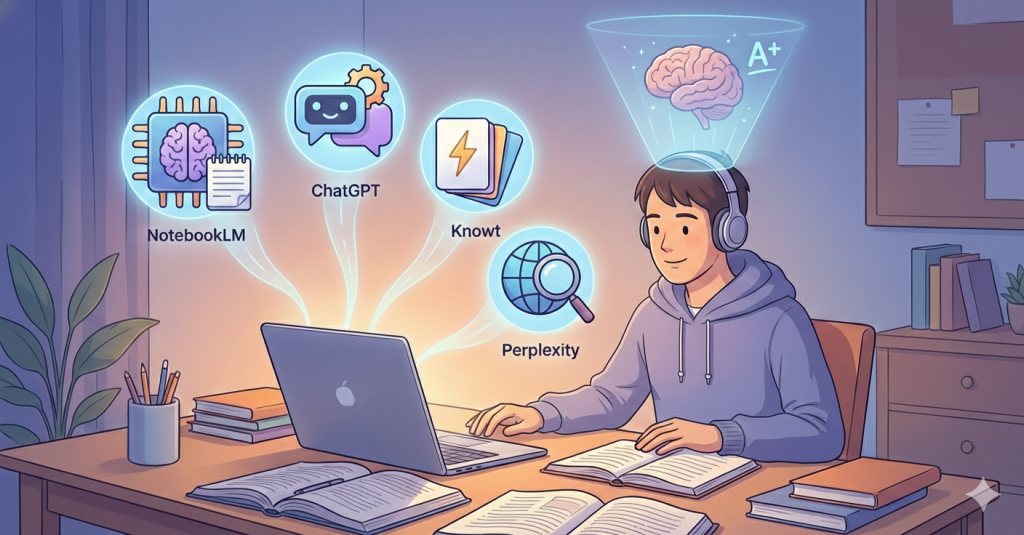
Here are 4 smart, mostly free AI tools for students that will help you crush your exams, boost exam marks, and finally ditch the revision stress.
1. NotebookLM: The “Grounded” Study Buddy1
Best For: Turning your messy notes into an interactive guide (and even a podcast!).
If you are skeptical about AI “hallucinating” or making things up, Google’s NotebookLM is your safest bet. Unlike standard chatbots that pull info from the entire internet, NotebookLM uses only the documents you feed it.2 This is crucial for exam revision without stress because you know the answers are coming directly from your syllabus.
How to Use It for Revision
-
Upload Your Sources: Upload your class notes, PDF textbooks, or slide decks.
-
The “Audio Overview”: This is the killer feature. One click, and it generates a “podcast” of two AI hosts discussing your material.3 They banter, use analogies, and break down complex ideas. It’s perfect for listening while you commute or go for a walk.
-
Q&A: Ask it, “What are the key themes in Chapter 3?” or “Create a glossary of terms from these notes.”
Real-Life Exam Use Case
-
Subject: History or Literature.
-
Scenario: You have 50 pages of notes on “The French Revolution.”
-
Action: Upload the notes. Ask NotebookLM to “Create a timeline of events based ONLY on these notes” and “Generate 10 practice questions with answers.” You get a perfect study sheet in seconds.
Pros, Limitations & Tips
-
Pros: Zero hallucinations (it sticks to your sources), the podcast feature is mind-blowing for auditory learners.4
-
Limitations: It can’t browse the live web; it only knows what you give it.
-
Pro Tip: Use the “Suggested Questions” chips at the bottom to find gaps in your notes you didn’t even know existed.
2. ChatGPT (Free Version): The 24/7 Concept Simplifier5
Best For: Breaking down difficult concepts and creating study schedules.
You likely already use ChatGPT, but are you using it for revision or just for writing emails? As one of the top free AI tools for students, its real power lies in its ability to roleplay as a tutor who never gets tired of your questions.
How to Use It for Revision
-
The “Feynman Technique”: Paste a complex paragraph (e.g., Quantum Entanglement) and prompt: “Explain this to me like I’m 12 years old. Use an analogy involving everyday objects.”
-
Mock Examiner: Prompt: “I am studying for my biology board exam. Ask me 5 short-answer questions about Photosynthesis. Wait for my answer, then grade it and tell me what I missed.”
Real-Life Exam Use Case
-
Subject: Physics or Economics.
-
Scenario: You just can’t grasp the concept of “Opportunity Cost.”
-
Action: Ask ChatGPT: “Explain Opportunity Cost using the example of a student choosing between studying and playing video games.” The relatable example will make it stick instantly.
Pros, Limitations & Tips
-
Pros: incredibly versatile, works for every subject, great for creating 30-day study plans.
-
Limitations: Can occasionally be confidently wrong (hallucinate), so double-check facts for competitive exams.
-
Pro Tip: Never just say “Explain X.” Always add context: “Explain X for a high school exam marking scheme.”
3. Knowt: The Flashcard Powerhouse (Free Quizlet Alternative)
Best For: Active recall and memorizing definitions or formulas.
For years, Quizlet was the king of flashcards, but many of its best AI features are now behind a paywall. Enter Knowt. It is quickly becoming the favorite AI study tool for students because it offers unlimited active recall features for free—and yes, it can import your old Quizlet sets.
How to Use It for Revision
-
AI Flashcard Gen: Paste your lecture notes or a YouTube video link.6 Knowt’s AI instantly scans it and creates a deck of flashcards.
-
Spaced Repetition: It uses an algorithm to show you the cards you get wrong more often, ensuring you focus on your weak spots (the secret to boosting exam marks).7
-
Practice Tests: It can turn your notes into a multiple-choice, matching, or written answer test.
Real-Life Exam Use Case
-
Subject: Biology, Law, or Vocab-heavy subjects.
-
Scenario: You need to memorize 200 legal case names or medical terms.
-
Action: Paste your list into Knowt. Let it generate the cards. Spend 15 minutes a day on the “Learn” mode. The app handles the scheduling; you just handle the swiping.
Pros, Limitations & Tips
-
Pros: Completely free active recall modes, imports from other apps, links directly to lecture videos.
-
Limitations: The mobile app interface can sometimes feel a bit cluttered compared to simpler apps.
-
Pro Tip: Use the “Flashcards from Video” feature. Paste a revision video URL, and it will quiz you on the video’s content!
4. Perplexity AI: The “Fact-Checker” for Competitive Exams
Best For: Writing essays and getting cited, up-to-date answers.
If you are preparing for competitive tests (like JEE, NEET, SATs, or Civil Services), “trust me bro” isn’t good enough. You need facts backed by sources. Perplexity is like Google and ChatGPT had a baby. It gives you a direct answer and cites the sources (websites, papers, news) right there.
How to Use It for Revision
-
Current Affairs: Ask, “What were the key outcomes of the G20 Summit 2024? Summarize for a competitive exam general knowledge section.”
-
Deep Research: Ask, “Compare the economic policies of FDR and Hoover with citations.” It will give you a summarized answer with little numbers you can click to verify.
Real-Life Exam Use Case
-
Subject: Political Science, Sociology, or General Knowledge.
-
Scenario: You are writing an essay and need a specific statistic about climate change from a reliable report.
-
Action: Ask Perplexity. It finds the statistic and links you to the UN report. You can quote it in your exam with confidence.
Pros, Limitations & Tips
-
Pros: Cites sources (great for trust), scans the live web for recent news, very concise.
-
Limitations: The free version has a limit on “Pro” searches (which are smarter), but the basic version is usually sufficient for students.
-
Pro Tip: Use the “Related Questions” feature to expand your knowledge circle on a topic.
Comparison of Best AI Revision Tools
| Feature | NotebookLM | ChatGPT | Knowt | Perplexity |
| Best For | Deep understanding of your notes | Explaining concepts & Planning | Memorization & Flashcards | Research & Citations |
| Source Data | Your uploads (Safe) | Internet training data | Your uploads & Videos | Live Web Search |
| Format | Text, Summary, Podcast | Chat, Tables, Code | Flashcards, Practice Tests | Summarized Answers |
| Cost | Free | Free (Plus is paid) | Free (Ads supported) | Free (Pro is paid) |
| Hallucination Risk | Very Low | Moderate | Low | Low |
How to Build a Stress-Free AI Revision Routine
Using AI doesn’t mean you stop studying; it means you stop wasting time. Here is a simple workflow to integrate these tools:
-
Phase 1: Organize (1 Week Out)
-
Gather all your PDFs and messy notes.
-
Upload them to NotebookLM. Listen to the “Audio Overview” while walking to school to get the big picture.
-
-
Phase 2: Understand (Days 1-3)
-
Identify the topics you didn’t understand in Phase 1.
-
Ask ChatGPT to explain them simply.
-
Use Perplexity to find recent examples or stats to beef up your answers.9
-
-
Phase 3: Memorize (Days 4-6)
-
Take your finalized notes and paste them into Knowt.
-
Grind those flashcards. Do 20 minutes in the morning and 20 minutes before bed.
-
-
Phase 4: Test (Day 7)
-
Ask ChatGPT to generate a mock exam paper based on your syllabus.
-
Write the test under timed conditions.
-
Common Mistakes Students Make with AI Tools
While these are powerful AI tools for revision, they can backfire if used lazily. Avoid these traps:
-
The “Copy-Paste” Trap: Don’t just copy an AI summary and assume you know it. Handwrite the key points from the AI output. The physical act of writing aids memory.
-
Blind Trust: AI can make math errors or mix up quotes. Always verify dates and formulas with your textbook.
-
Passive Scrolling: Reading a ChatGPT explanation feels good, but it’s passive. You must follow it up with active recall (like Knowt flashcards) to actually retain it.
The Future of AI in Student Revision
We are moving away from “one-size-fits-all” education. The future is hyper-personalized learning. Imagine an AI that knows exactly which math formula you forget every Tuesday and reminds you just before you forget it again.
Tools like these are the first step. By adopting them now, you aren’t just passing an exam; you are learning the skill of resourcefulness, which is valuable long after you leave school.
FAQs about AI Revision Tools
1. Is using AI for revision considered cheating?
No. Using AI to generate notes, quizzes, or explain concepts is studying smart. Cheating is using AI during the exam or to write an essay you claim as your own. Think of AI as a tutor, not a ghostwriter.
2. Which is the best free AI tool for students?
For general help, ChatGPT is the most versatile.10 However, for specific exam prep involving your own notes, NotebookLM is currently the best free option without ads or paywalls.
3. Can AI help me with math problems?
Yes, tools like ChatGPT and specialized apps like Photomath (owned by Google) can solve problems.11 However, use them to understand the steps, not just to get the final answer.
4. How do I stop AI from giving me wrong information?
Use “grounded” AI tools like NotebookLM (which only uses your files) or Perplexity (which cites sources).12 Always cross-reference crucial data with your textbooks.
5. Will these tools work for competitive exams like JEE or SAT?
Absolutely. Knowt is excellent for memorizing SAT vocabulary, and Perplexity is great for the General Knowledge sections of competitive exams.
Ready to Boost Your Exam Marks?
You don’t need to be a tech genius to use these tools. You just need to be willing to try something new.
Here is your challenge for today: Pick one tool from this list. Just one.
-
Got messy notes? Throw them into NotebookLM.
-
Need to memorize terms? Make a deck on Knowt.
Spend 10 minutes setting it up. You will be surprised at how much lighter your study load feels. Good luck—you’ve got this!